
Hinglish captions that read the way you talk
When you switch between Hindi and English in the same sentence, most caption tools trip over it, but CaptionsEasy uses a speech model fine-tuned on Hindi-English speech and writes the captions in Roman script, the way your audience actually types.
Roman script, not a translation
"Bhai, yeh scene kya hai" stays exactly that, so your viewers read your words in your voice instead of a stiff English translation.
Fine-tuned for mixed speech
The Whisper model behind it was tuned on Hindi-English speech, so it follows you when a line starts in one language and ends in the other.
Every look works
Pick Hindi / Hinglish when you add your video, then style the captions with any look, exactly as you would an English video.
Styles that suit it
Browse every caption style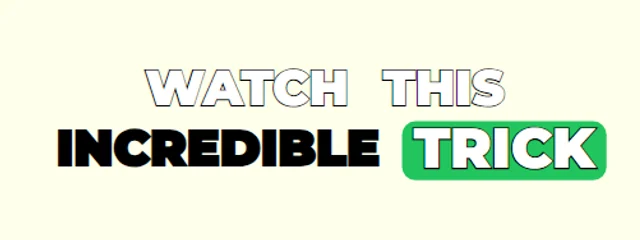
Jumping Box
Montserrat caps with a green box that jumps word to word
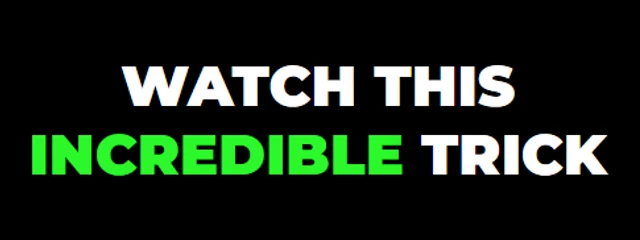
Three-Colour Keywords
Heavy white caps in a soft dark halo; key words light up green, yellow or red in turn
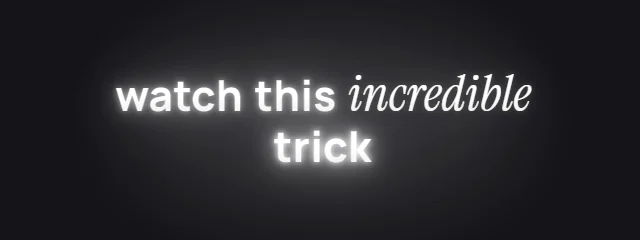
Serif Accent Glow
Clean bold words with the key word in italic serif, all in a soft halo of light
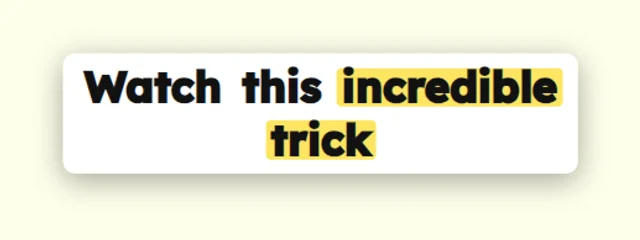
Yellow Highlighter
Dark text on a white card with a yellow marker
How it works
- 1. Add your videoIt is transcribed inside your browser, in English or Hindi / Hinglish, with a time for every word.
- 2. Check and styleFix any word, pick a look and move the captions where you want them in the frame.
- 3. ExportDownload an MP4 with the captions burned in, or an SRT file, with no watermark.
Questions
Does it write Hindi in Devanagari or Roman script?+
Captions come out in Roman script (Hinglish), the way most creators and viewers type, so a mixed Hindi-English line reads naturally.
Which languages are supported?+
English and Hindi / Hinglish today, with more languages on the way.
Is it really free?+
Yes. Captions, every look, the full editor and MP4 and SRT exports are free with no watermark, for videos up to 5 minutes long.
Is my video uploaded anywhere?+
No. Speech recognition and the MP4 export both run inside your browser, so the video stays on your device. Only your captions and settings are saved, so you can pick a project up again later.
Also on CaptionsEasy
- Animated captions for Instagram Reels
- Captions for YouTube Shorts, timed to every word
- Word-by-word captions for TikTok
- A free auto caption generator that runs in your browser
- Add subtitles to any video, free and in minutes
- Make an SRT file from your video
- Animated captions with no watermark, free
- Captions for podcast clips that keep up with fast talkers
- Animated captions that move with your voice