
Captions for YouTube Shorts, timed to every word
A Short has about two seconds to earn the next ten, and captions that move with your voice keep viewers reading long after they would have swiped away.
Burned in or as a file
Export an MP4 with the captions part of the picture for Shorts, or an SRT file when you would rather upload subtitles to a long-form YouTube video.
Fixed in seconds
If the speech model mishears a name, click the word and type it, and the timing stays locked to your voice.
Nothing to install
Everything runs in the browser on your laptop or phone, so you can caption a Short the moment you finish recording it.
Styles that suit it
Browse every caption style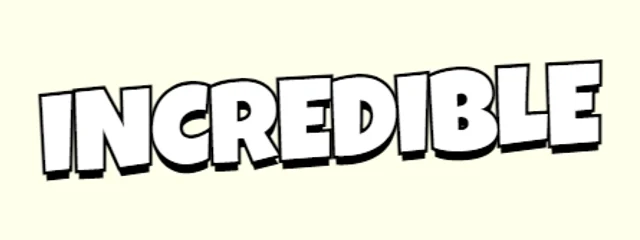
Bouncy Single Word
Chunky yellow words with a hard shadow and alternating tilt
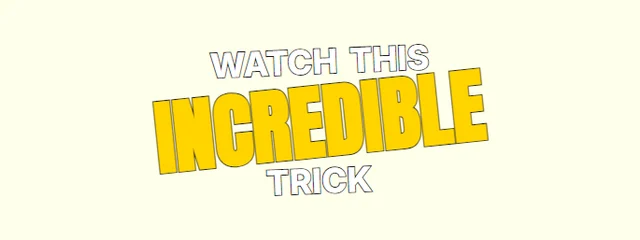
Kinetic Big Word
Stacked words; the key word huge, tilted and yellow
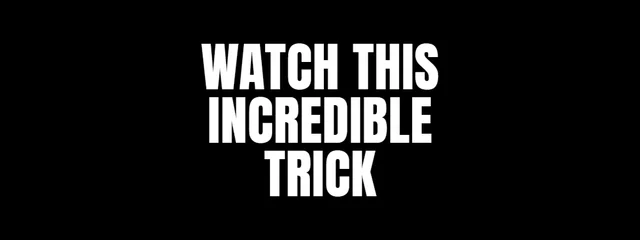
RGB Split Slam
Condensed caps slam in with red and cyan channels converging on the hit, a short shake, and a re-split kick on each spoken word
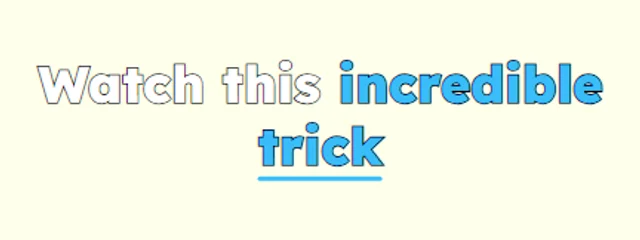
Underline Sweep
Lexend (built for readability) with an underline sweep
How it works
- 1. Add your videoIt is transcribed inside your browser, in English or Hindi / Hinglish, with a time for every word.
- 2. Check and styleFix any word, pick a look and move the captions where you want them in the frame.
- 3. ExportDownload an MP4 with the captions burned in, or an SRT file, with no watermark.
Questions
Should I burn captions into a Short or upload an SRT?+
Burn them in for Shorts, because YouTube's own subtitles are small and many viewers never turn them on. Use the SRT file for long videos, where viewers expect to switch subtitles on and off.
Is it really free?+
Yes. Captions, every look, the full editor and MP4 and SRT exports are free with no watermark, for videos up to 5 minutes long.
Is my video uploaded anywhere?+
No. Speech recognition and the MP4 export both run inside your browser, so the video stays on your device. Only your captions and settings are saved, so you can pick a project up again later.
Also on CaptionsEasy
- Animated captions for Instagram Reels
- Word-by-word captions for TikTok
- Hinglish captions that read the way you talk
- A free auto caption generator that runs in your browser
- Add subtitles to any video, free and in minutes
- Make an SRT file from your video
- Animated captions with no watermark, free
- Captions for podcast clips that keep up with fast talkers
- Animated captions that move with your voice