
Animated captions for Instagram Reels
Most people watch Reels with the sound off, so the captions are what actually tell your story, and CaptionsEasy times every word to your voice so the line lights up exactly when you say it.
Made for 9:16
Reels are vertical, and so is the editor, so you can drag the captions above the like and comment buttons and away from your face before you export.
Looks that stop the scroll
Choose a jumping box, a neon glow or a slow serif wipe, then change the font and colours until the captions feel like your brand rather than a template.
Posts straight to Instagram
You get an MP4 with the captions burned in and no watermark, ready to upload from your phone or your laptop.
Styles that suit it
Browse every caption style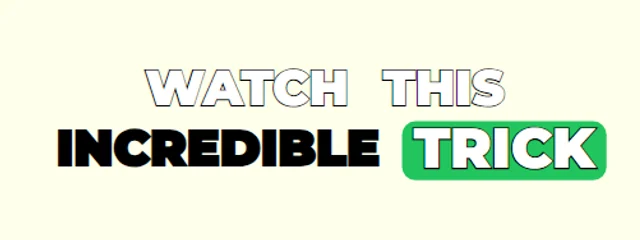
Jumping Box
Montserrat caps with a green box that jumps word to word
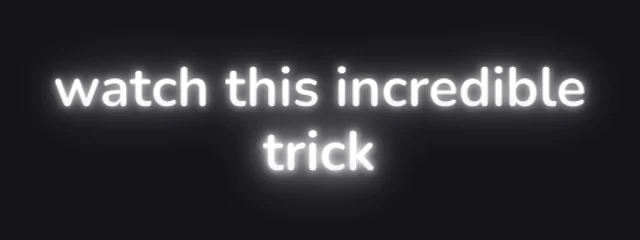
Soft Glow
Rounded lowercase words rising out of a blur with a soft white bloom
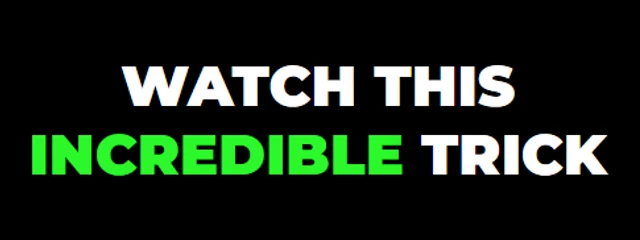
Three-Colour Keywords
Heavy white caps in a soft dark halo; key words light up green, yellow or red in turn
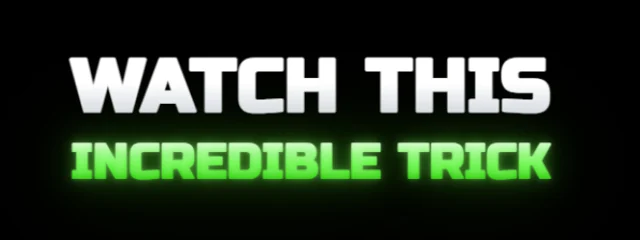
Premium Caption 1.1
Two tiers of rounded caps: a white lead line over the spoken key word, lit in your accent with a lens bloom; each word pops in soft and snaps sharp with a small bounce
How it works
- 1. Add your videoIt is transcribed inside your browser, in English or Hindi / Hinglish, with a time for every word.
- 2. Check and styleFix any word, pick a look and move the captions where you want them in the frame.
- 3. ExportDownload an MP4 with the captions burned in, or an SRT file, with no watermark.
Questions
Why not use Instagram's own auto captions?+
Instagram's captions are a plain sticker that viewers can turn off, while burned-in animated captions are part of the video, so everyone sees them in the style you chose and they travel with the clip when it is shared or reposted.
Can I keep the captions away from the Reels buttons?+
Yes. Drag the caption box anywhere in the frame, and the preview shows exactly where the words will land before you export.
Is it really free?+
Yes. Captions, every look, the full editor and MP4 and SRT exports are free with no watermark, for videos up to 5 minutes long.
Also on CaptionsEasy
- Captions for YouTube Shorts, timed to every word
- Word-by-word captions for TikTok
- Hinglish captions that read the way you talk
- A free auto caption generator that runs in your browser
- Add subtitles to any video, free and in minutes
- Make an SRT file from your video
- Animated captions with no watermark, free
- Captions for podcast clips that keep up with fast talkers
- Animated captions that move with your voice