
Premium motion caption style · #132
Premium Caption 3 captions
A stacked card: small white connector words, content words a size up, and the highlight huge as a shiny negative of the video under it, so the background decides its colour.
This is motion-designer finishing, the kind that usually takes an evening in After Effects, timed to every word as it is spoken, so a plain clip shot on a phone looks like somebody edited it with care.
- Shiny negative
- Stack
- Lowercase
- Font: Montserrat
Where Premium Caption 3 works best
It suits brand videos, launch clips, cinematic edits, portfolio pieces, and because every word is timed to your voice, the motion lands on the beat of what you say instead of on a fixed clock.
Featured in
Add it in three steps
- 1. Add your video. CaptionsEasy listens to it inside your browser and writes every word with its timing, in English or Hinglish.
- 2. Pick Premium Caption 3. Fix any misheard word, then change the colours or font if you want it to match your brand.
- 3. Export. Download an MP4 with the captions burned in and no watermark, or an SRT file for your editor.
More premium motion styles
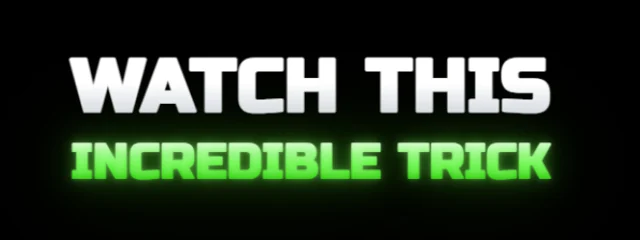
Premium Caption 1.1
Two tiers of rounded caps: a white lead line over the spoken key word, lit in your accent with a lens bloom; each word pops in soft and snaps sharp with a small bounce
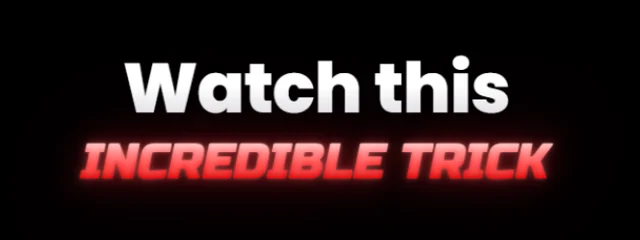
Premium Caption 1.2
A sentence-case white lead over a slanted, lit caps key word in your accent, blooming like a lens flare; each word pops in soft and snaps sharp
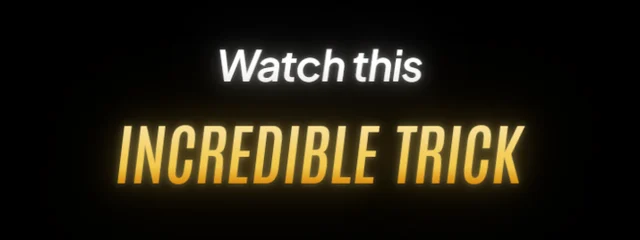
Premium Caption 2
Three tiers in an After Effects glow: a white italic lead, the key words tall in gold condensed caps, and a lighter italic tail; every word fades in out of a heavy blur
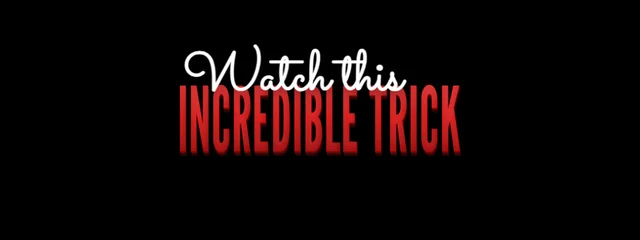
Premium Caption 4
A poster card: the key word giant in tall condensed caps, glossy and extruded in 3D, rising letter by letter, with a handwritten script lead and a white sans line
Difference
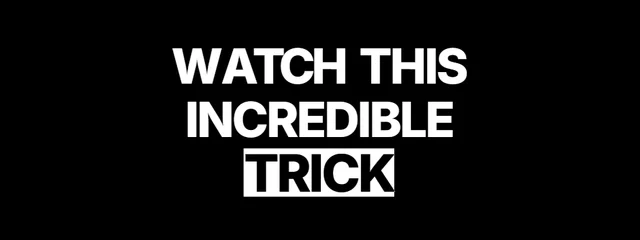
Bold caps that invert the video behind them, with a difference bar that sweeps in and rides the spoken word
Questions
How do I add the Premium Caption 3 captions to my video?+
Open CaptionsEasy, add your video and let it write the captions, then choose Premium Caption 3 from the Premium motion looks and export an MP4. It all happens in your browser and there is nothing to install.
Can I change the colours and font of Premium Caption 3?+
Yes. Every look is a starting point, so you can change the font, colours, outline, size, position and motion, then save the result as a brand kit to reuse.
Is Premium Caption 3 free to use?+
Yes. Every caption look and both MP4 and SRT exports are free with no watermark, for videos up to 5 minutes long.